
Clinic Booking System Guide: Set Up Online Appointment Scheduling for Your Indian Clinic
Patients want to book appointments online — on your website, through WhatsApp, or via a simple link. A clinic booking system automates scheduling, sends reminders, and reduces no-shows. Here is everything you need to know to choose and set up the right system for your clinic.
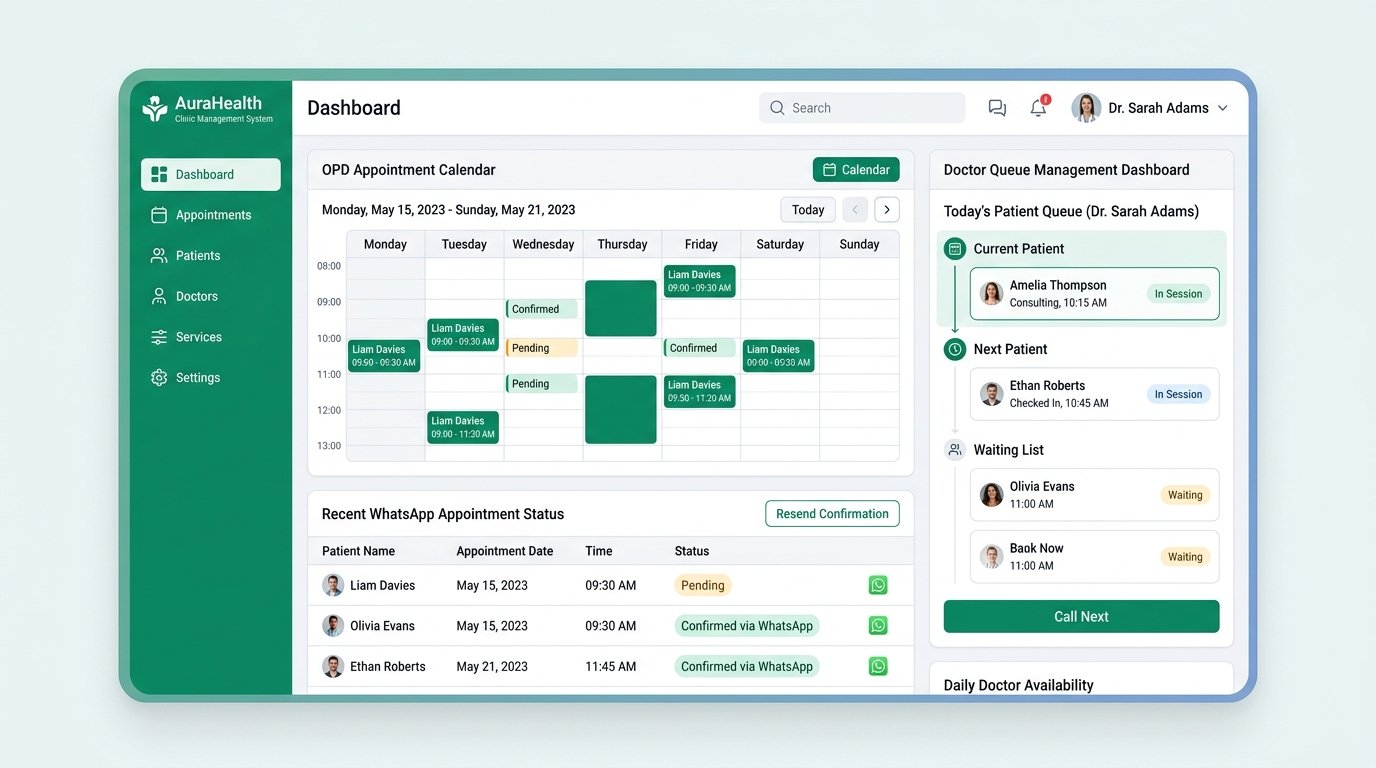
Why This Matters for Your Business
The real cost of not fixing these issues — and why most businesses get stuck.
Phone-based appointment booking is broken for modern clinics
When patients have to call your clinic to book an appointment, both sides lose. Patients wait on hold, call during busy hours, or forget to call altogether. Your receptionist spends 30-40% of their time on the phone — booking, rescheduling, and answering timing questions — instead of managing the front desk. For a clinic seeing 50+ patients daily, this is 3-4 hours of lost productivity every single day.
No-shows drain your clinic revenue silently
Indian clinics lose 15-25% of daily revenue to no-shows. The primary cause is not patient disinterest — it is forgetfulness. A patient books an appointment 3 days ahead and simply forgets. Without automated reminders, they remember the appointment 2 hours after the slot passed. A booking system with WhatsApp and SMS reminders can reduce no-shows by 60-70%, directly adding thousands in recovered revenue every month.
Free calendar links do not work for medical scheduling
Many doctors use Calendly or Google Appointment slots — but these were not designed for clinics. They do not handle walk-in patients, cannot manage multiple doctors with different schedules, do not send medical-specific intake forms, and have no way to handle emergency bookings or rescheduling workflows. A proper clinic booking system is built for the unique needs of healthcare scheduling.
Key Insight
Addressing these challenges helps improve lead handling — faster responses and consistent follow-up can capture more enquiries. Actual results depend on traffic quality, sales process, offer strength and implementation scope.
What We Evaluate
Every implementation covers these key areas to ensure nothing is missed.
Booking Channel Coverage
Checks what channels patients can book through — website, WhatsApp, Google, phone, and walk-in — and measures the conversion rate of each.
Doctor Schedule Management
Evaluates how you manage multiple doctors' schedules, leaves, overlapping slots, and emergency availability.
Reminder & Follow-Up System
Reviews whether your current system sends automated appointment reminders and post-consultation follow-ups.
Patient Intake & History
Checks if the system collects patient intake forms before the appointment and maintains consultation history.
Clinic Management Features
Evaluates additional features — queue management, prescription generation, billing integration, and analytics.
Your Step-by-Step Action Plan
Follow these steps in order. Each one builds on the last.
Real Results, Real Business
See how another business solved the same problems you are facing.
A Nagpur pediatric clinic reduced no-shows by 65% with a proper booking system
A pediatric clinic in Nagpur with 3 pediatricians was seeing 60-70 patients daily. They relied on phone calls for booking — the receptionist spent 4+ hours daily on phone calls. Their no-show rate was 22%, costing an estimated ₹1.5 lakh per month in lost consultation revenue. After implementing a clinic booking system with online booking on their website, WhatsApp booking, automated reminders (WhatsApp 24 hours before + SMS 2 hours before), and digital intake forms: phone call volume dropped by 60%, no-shows fell to 8%, booking became available 24/7 (capturing 15-20 after-hours bookings per week), and the receptionist was redeployed to patient care coordination. The system paid for itself within the first month through recovered no-show revenue alone.
Your Action Plan
Fix things in stages — from immediate wins to advanced automation
Quick Fixes — Today
- Stop taking appointments only by phone — enable at least WhatsApp-based booking
- Set up automated WhatsApp reminders for all booked appointments
- Create a simple booking link (Calendly or Google Appointments) as an interim solution
- Display your OPD timings and doctor availability prominently on your website and GBP
Short-Term — 1 Week
- Implement online booking on your clinic website with real-time slot availability
- Set up WhatsApp-based booking — patients type 'BOOK' and receive available slots
- Configure automated intake forms that patients fill before their appointment
- Create a post-consultation follow-up flow — next visit reminder, medication reminders, feedback
Growth — 30 Days
- Add multi-doctor schedule management with overlapping and parallel slot configuration
- Integrate booking system with your billing software for seamless invoice generation
- Build a patient portal where patients can view history, reschedule, and download reports
- Set up queue management system for walk-in patients with estimated wait times
Advanced — 90 Days
- Implement AI-powered demand forecasting to optimize doctor scheduling based on historical booking patterns
- Build a complete clinic management system with online booking, EMR, billing, and pharmacy integration
- Create a patient self-check-in kiosk or QR-based check-in at the clinic entrance
- Set up automated insurance verification and pre-authorization integrated with the booking flow
Ready to automate your clinic's appointment booking?
A proper clinic booking system saves your receptionist hours every day, reduces no-shows by 60%, and captures after-hours bookings you are currently losing. Curve Metrics helps Indian clinics set up online booking systems — from simple WhatsApp booking to full clinic management platforms. Start with a free consultation.
Frequently Asked Questions
What is the best clinic booking system for a small clinic in India?
For a single-doctor clinic with 20-30 daily patients: Zoho Clinics (₹1,500/month) or ClinicDekho (freemium) work well. For multi-doctor clinics with 50+ daily patients: Practo (paid per booking) or a custom-built system with your website. Start with Zoho Clinics — it balances features and affordability.
Can patients book appointments directly from my Google Business Profile?
Yes. With a booking system that integrates with GBP, a 'Book Online' button appears on your Google profile. Patients can book directly from Google search results without visiting your website. This feature alone can increase bookings by 30-40%.
How do I handle walk-in patients with an online booking system?
A good clinic booking system has a 'walk-in' mode where the receptionist can add unscheduled patients to the queue. The system should leave buffer slots during the day for walk-in patients while still allowing advance online booking. Typically, 30-40% of slots are kept for walk-ins.
How much does a clinic booking system cost in India?
Free options: Google Appointment Slots (limited), ClinicDekho (basic free). Paid options: Zoho Clinics ₹1,500/month, Practo charges per booking (typically ₹50-₹150 per appointment), custom development ₹50,000-₹2 lakh one-time. WhatsApp-based booking (via WATI or Interakt) starts from ₹1,500/month.
Do I need a website to use an online booking system?
No. You can start with a standalone booking link (like Zoho Clinics provides) that patients can access directly. Share the link on your WhatsApp status, Instagram bio, and Google Business Profile. A website enhances the experience but is not mandatory for starting online booking.
How do automated reminders actually work?
The system sends a WhatsApp message or SMS to the patient's phone 24 hours before the appointment (reminder + rescheduling option) and again 2 hours before (confirmation + directions). If the patient confirms, the slot is locked. If they reschedule, the slot opens up for another patient. This reduces no-shows and optimizes your schedule.