
WhatsApp Automation for Business: Practical Guide to Capture, Reply and Follow Up with Leads
Stop losing leads because no one replied on time. Learn how to automate your WhatsApp enquiries from website, Instagram, Google Ads, and Google Business Profile.
Why This Matters for Your Business
The real cost of not fixing these issues — and why most businesses get stuck.
What is WhatsApp automation and why do you need it?
WhatsApp automation means sending instant replies, follow-up messages, and notifications to your customers automatically based on triggers — like a website form submission, a missed call, or a Google Sheets entry. Instead of manually typing each reply, the system sends the right message at the right time without anyone watching the phone.
Why businesses lose leads without WhatsApp automation
When a customer enquires through your website or Instagram, they expect a reply within minutes. If no one responds in 5-10 minutes, most prospects move to your competitor. Small businesses in India receive 20-100 enquiries per day across website, Instagram, Google, and direct calls. Without automation, most of these leads go cold because the team is busy, asleep, or misses the notification.
How WhatsApp automation works — the simple version
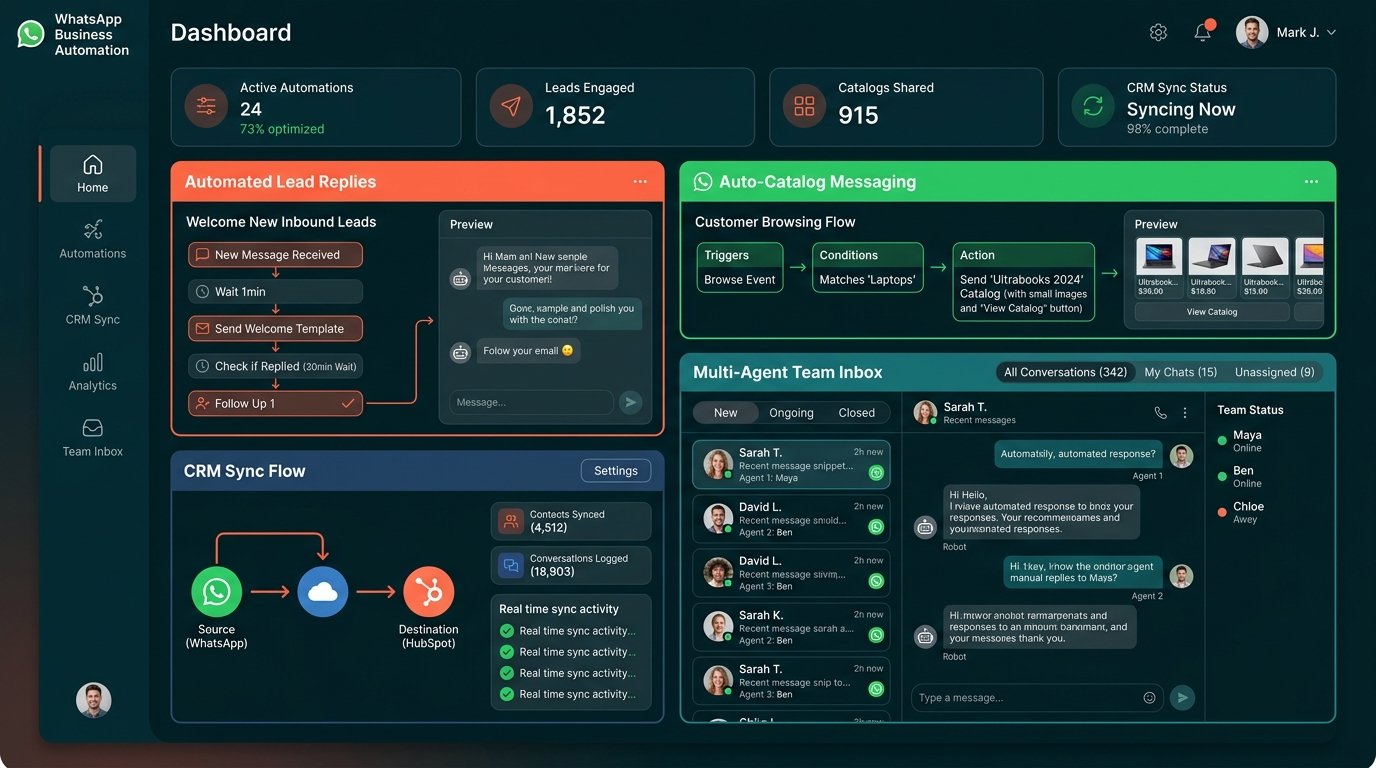
A customer fills a form on your website or sends a message. The automation system captures their details, sends an instant WhatsApp reply with the information they need (price, availability, brochure), saves their contact info to a CRM or Google Sheet, notifies your sales team, and schedules a follow-up message for the next day if they do not respond. All of this happens without anyone manually copying data or typing replies.
Key Insight
Addressing these challenges helps improve lead handling — faster responses and consistent follow-up can capture more enquiries. Actual results depend on traffic quality, sales process, offer strength and implementation scope.
What We Evaluate
Every implementation covers these key areas to ensure nothing is missed.
Enquiry Capture
Automatically capture enquiries from website forms, Instagram DMs, Google profile, and missed calls.
Instant Auto-Reply
Send an immediate WhatsApp response with details, pricing, brochure, or next steps.
CRM Integration
Save every lead's name, number, enquiry source, and status to a CRM or Google Sheet.
Follow-Up Sequences
Schedule follow-up messages for leads who enquired but did not respond.
Team Notifications
Send alerts to your sales team when a new lead comes in.
Your Step-by-Step Action Plan
Follow these steps in order. Each one builds on the last.
Real Results, Real Business
See how another business solved the same problems you are facing.
How a real estate agency automated 200+ WhatsApp leads per month
A real estate agency in Nagpur was getting 150-200 enquiries per month from Facebook ads, Google ads, and their website. Their team of 3 salespeople could not respond to all enquiries within 5 minutes. After setting up WhatsApp automation: every website form submission triggered an instant WhatsApp reply with project brochure and pricing, the lead was saved to CRM automatically, and a follow-up message was scheduled for the next day. Their response time went from 45 minutes average to under 30 seconds. Lead-to-site-visit conversion improved by 40%.
Your Action Plan
Fix things in stages — from immediate wins to advanced automation
Quick Fixes — Today
- Connect your website contact form to send WhatsApp notifications
- Set up an auto-reply for after-hours enquiries
- Create a Google Sheet to log all WhatsApp leads
- Add a WhatsApp click-to-chat button on your website
Short-Term — 1 Week
- Build a 3-message follow-up sequence (day 1, day 3, day 7)
- Integrate your CRM with WhatsApp for automatic lead logging
- Set up team notification groups for new lead alerts
- Create template messages for common enquiries
Growth — 30 Days
- Implement abandoned cart WhatsApp recovery for ecommerce
- Set up appointment reminder automation for service businesses
- Build WhatsApp broadcast lists for promotions and offers
- Create analytics dashboard to track response time and conversion
Advanced — 90 Days
- Build AI-powered WhatsApp chatbot for 24/7 enquiry handling
- Implement two-way WhatsApp CRM with ticket management
- Create personalised WhatsApp campaigns based on customer segments
- Set up multi-agent WhatsApp inbox with assignment rules
Ready to automate your WhatsApp lead management?
Curve Metrics helps Indian businesses set up WhatsApp automation workflows that capture, reply, and follow up with leads automatically. Start with a free consultation.
Frequently Asked Questions
Do I need WhatsApp Business API for automation?
For basic automation (auto-replies, notifications), WhatsApp Business App is enough. For advanced features like CRM integration, broadcast lists, and multi-agent support, you need WhatsApp Business API.
How much does WhatsApp automation cost?
WhatsApp Business App is free. WhatsApp Business API costs depend on the provider — typically ₹5,000-₹15,000 per month including messaging charges. Custom-built automation starts from ₹25,000 one-time.
Can I automate WhatsApp replies from my website forms?
Yes. Using tools like WATI, Interakt, or custom development with WhatsApp API, any website form submission can trigger an instant WhatsApp reply to the customer and a notification to your team.
Will customers know it is an automated reply?
Well-designed automation feels personal. Use the customer's name, reference their enquiry, and include relevant information. Most customers appreciate the instant response.
What is the difference between WhatsApp Business App and API?
WhatsApp Business App is a mobile app for single-user, manual or basic automated replies. WhatsApp Business API is a cloud-based solution that supports multiple agents, CRM integration, broadcast messaging, and advanced automation.
How long does it take to set up WhatsApp automation?
A basic setup with website form integration and auto-reply takes 1-2 days. A full CRM-integrated workflow with follow-up sequences takes 1-2 weeks.